Managing Screen Fatigue and Eye Strain
Frequent blinking, the 20-20-20 rule, and proper monitor distance reduce digital eye strain.
For informational purposes only. This article is educational and is not a substitute for professional medical advice, diagnosis, or treatment. Always consult a qualified healthcare provider about anything affecting your health. Read full disclaimer.
Introduction
In an increasingly digital world, many individuals spend significant portions of their day interacting with screens. This extended screen time can lead to digital eye strain, also known as computer vision syndrome. This condition encompasses a group of eye and vision-related problems resulting from prolonged digital screen use. While not permanently damaging, its symptoms can be uncomfortable and disruptive. This guide explores digital eye strain's causes, symptoms, and management strategies. Understanding how to mitigate screen fatigue is crucial for maintaining eye comfort and visual well-being.
What causes it (evidence-based)
Digital eye strain is primarily caused by how our eyes interact with digital screens, which differs from perceiving printed material. Several factors contribute:
- Reduced Blink Rate: When using screens, individuals blink less frequently. Blinking is crucial for lubricating the eyes. A reduced blink rate leads to dryness and discomfort. The blink rate can decrease by as much as 50% when focusing on a digital screen. (National Eye Institute, NIH)
- Glare and Reflection: Reflections from screens and glare from ambient light sources (like windows) force the eyes to work harder, contributing to fatigue.
- Improper Viewing Distance and Angle: Viewing screens too close, too far, or at an incorrect angle strains eye muscles. The optimal viewing distance for a computer screen is 20 to 28 inches (50 to 70 centimeters) from the eyes, with the top of the monitor slightly below eye level.
- Poor Posture: Sustained poor posture during screen use can lead to muscle tension in the neck and shoulders, indirectly affecting eye comfort.
- Uncorrected Vision Problems: Underlying vision problems such as uncorrected refractive errors (e.g., nearsightedness, farsightedness, astigmatism) or presbyopia (age-related difficulty focusing on near objects) can be exacerbated by screen use, increasing strain.
- Blue Light Exposure: Digital screens emit blue light. Prolonged or excessive exposure to blue light from screens, particularly in the evening, may disrupt sleep patterns. Its direct role in causing immediate digital eye strain is an area of ongoing research and is not considered the primary cause of immediate eye discomfort. (American Academy of Ophthalmology)
- Visual Ergonomics: The overall workspace setup, including screen resolution, contrast, font size, and lighting, is crucial. Suboptimal ergonomic conditions force the visual system to work harder.
Understanding these contributing factors is the first step in addressing and preventing digital eye strain.
Symptoms and warning signs
Digital eye strain manifests through various symptoms, which can vary in intensity. Recognizing these signs early can help individuals take timely steps to mitigate discomfort.
Common symptoms include:
- Eyestrain: Often described as tired or heavy eyes.
- Headaches: Frequent headaches, especially in the forehead or temple area, can result from focusing on a screen for extended periods.
- Blurred Vision: Vision may temporarily become blurry, either on-screen or when shifting focus to distant objects. This usually resolves after a break.
- Dry Eyes: Reduced blinking can cause eyes to become dry, itchy, or gritty, sometimes accompanied by a burning sensation. Occasionally, excessive tearing may occur as a compensatory response.
- Neck and Shoulder Pain: Poor posture while viewing screens can lead to muscle stiffness and pain.
- Light Sensitivity (Photophobia): Some individuals may experience increased sensitivity to light.
- Difficulty Focusing: Problems shifting focus between near and far objects or maintaining focus on text can indicate visual fatigue.
- Irritated Eyes: Redness, watering, or a general feeling of irritation are common.
These symptoms are generally temporary and subside with breaks or preventative measures. However, if symptoms are severe, persistent, or accompanied by other concerns, consult a healthcare professional.
When to see a clinician
While digital eye strain is usually temporary, certain circumstances warrant consultation with an eye care professional (optometrist or ophthalmologist). This information is not medical advice, and a qualified clinician should always be consulted for personalized recommendations.
You should consider seeing a clinician if you experience:
- Persistent or Worsening Symptoms: If symptoms like headaches, blurred vision, or eye pain do not improve with self-care or worsen over time.
- Sudden Changes in Vision: Any sudden changes, acute pain, or vision loss require immediate medical attention.
- Doubling of Vision (Diplopia) or Seeing Halos: These symptoms can indicate more serious underlying eye conditions.
- Chronic Dry Eyes: If dry eye symptoms are severe, persistent, or interfere with daily activities, a clinician can diagnose the cause and recommend treatments.
- Eye Pain Unrelated to Screen Use: If eye pain occurs when not using screens or is severe and localized, it warrants investigation.
- Existing Eye Conditions: Individuals with pre-existing eye conditions should report any new or worsening symptoms.
- Difficulty with Night Driving or Light Sensitivity: Especially if new, these could indicate various eye health concerns.
- You Have Not Had a Recent Comprehensive Eye Exam: Regular eye exams are crucial for detecting uncorrected refractive errors or other subtle eye problems contributing to strain. (Mayo Clinic)
A clinician can perform a thorough eye examination to rule out other medical conditions and provide a personalized assessment of your visual ergonomics and suggest appropriate corrective lenses or therapies.
Treatment and management options
Managing digital eye strain involves environmental adjustments, behavioral modifications, and, in some cases, clinical interventions. The goal is to reduce stress on the eyes and alleviate symptoms.
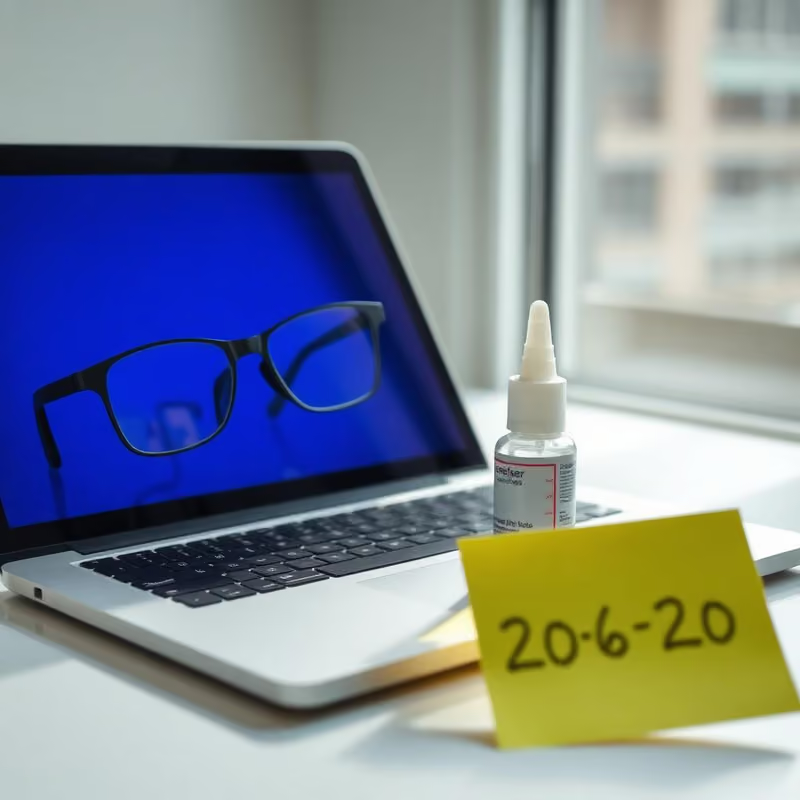
- The 20-20-20 Rule: For every 20 minutes spent looking at a screen, take a 20-second break and look at something 20 feet (approximately 6 meters) away. This helps eye muscles relax and refocus, and encourages blinking. (American Optometric Association)
- Optimize Workspace Ergonomics:
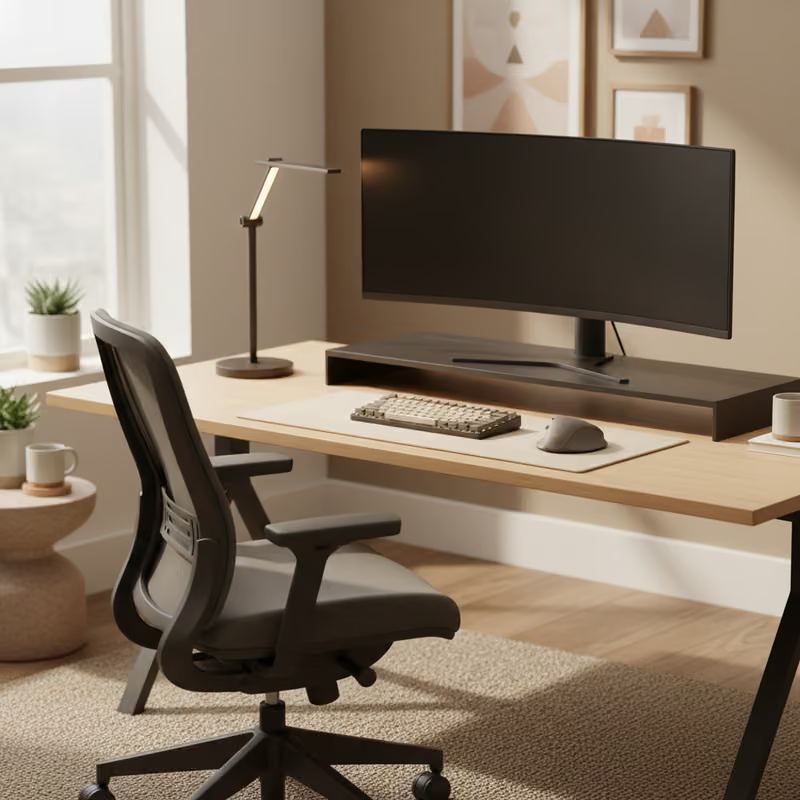
- Screen Distance and Position: Position your screen 20-28 inches (50-70 cm) from your eyes. The top of the monitor should be at or slightly below eye level.
- Lighting: Reduce glare by positioning your screen away from direct sunlight or bright overhead lights. Use dimmer, diffused lighting. Anti-glare screens or filters can also help.
- Font Size and Contrast: Adjust font size and contrast settings to what is most comfortable.
- Adjust Screen Settings:
- Brightness: Match the screen's brightness to the surrounding ambient light.
- Color Temperature: Many devices offer settings to reduce blue light emission ("night mode"). Reducing blue light, especially in the evenings, may contribute to better sleep.
- Conscious Blinking: Make an effort to blink more frequently and completely when using screens to help lubricate the eyes.
- Artificial Tears: Over-the-counter lubricating eye drops can help alleviate dry eyes. Avoid redness-reducing drops. Consult a clinician for chronic dry eye.
- Corrective Lenses: Ensure your prescription is up-to-date. Your eye care professional may recommend specific lenses for computer use, such as anti-reflective coatings or slight magnification.
- Regular Comprehensive Eye Examinations: Schedule regular check-ups to ensure optimal vision correction and detect any underlying eye conditions. (National Eye Institute, NIH)
- Hydration and Systemic Health: Maintaining good hydration, a balanced diet, and sufficient sleep can indirectly support eye health and reduce susceptibility to fatigue.
Implementing these strategies consistently can significantly reduce discomfort and help maintain long-term eye health in an increasingly digital world.
Prevention and daily habits
Preventing digital eye strain largely involves establishing healthy daily habits and optimizing your workspace. Consistent application of these strategies can significantly reduce eye discomfort.
- Follow the 20-20-20 Rule: This fundamental preventive measure involves looking away from your screen every 20 minutes for 20 seconds at an object 20 feet away. This action allows eye muscles to relax and eyes to re-lubricate. (American Optometric Association)
- Optimize Your Workstation Ergonomics:
- Proper Lighting: Ensure balanced workspace lighting. Avoid working in a dark room with a bright screen or under harsh, direct overhead lights. Position your screen so windows are to your side, not directly in front or behind, to minimize glare.
- Glare Reduction: Use an anti-glare screen filter. Clean your screen regularly.
- Monitor Placement: Keep your monitor at arm's length (20-28 inches or 50-70 cm) and position the top of the screen slightly below eye level. This encourages a slight downward gaze, which is more comfortable.
- Chair and Posture: Use an ergonomic chair that supports your lower back and allows feet to be flat on the floor. Maintain upright posture to prevent neck and shoulder strain.
- Conscious Blinking: Actively blink completely and frequently. If eyes feel dry, deliberately close them for a few seconds or consciously blink more often.
- Adjust Screen Settings:
- Brightness and Contrast: Adjust screen brightness to match ambient lighting. Contrast should be high enough for comfortable reading.
- Text Size: Increase text size until it is easily readable without straining.
- Color Temperature: Experiment with warmer color temperatures (less blue light) using features like "Night Shift" or "Night Light." While direct impact on eye strain is evolving, it may contribute to overall comfort and sleep hygiene, especially in the evenings.
- Take Regular Breaks from All Digital Devices: Beyond the 20-20-20 rule, incorporate longer breaks (15-30 minutes) every few hours. Use these breaks to stand, stretch, walk, and look at distant objects.
- Stay Hydrated: Drink plenty of water. Dehydration can contribute to dry eyes.
- Prioritize Sleep: Adequate, quality sleep is essential for overall health, including eye health. Fatigue can make eyes more susceptible to strain.
- Regular Eye Examinations: Schedule comprehensive eye examinations at recommended intervals, typically every one to two years, or more often if experiencing symptoms. (Centers for Disease Control and Prevention, CDC)
Incorporating these preventative measures can significantly reduce the incidence and severity of digital eye strain, promoting healthier screen use.
Frequently asked questions
What is the 20-20-20 rule and how does it help alleviate dry eyes?
The 20-20-20 rule suggests that for every 20 minutes spent looking at a screen, you should take a 20-second break and focus on an object 20 feet (about 6 meters) away. This rule helps alleviate dry eyes by promoting increased blinking, which lubricates the eye surface. It also allows the ciliary muscles, responsible for focusing, to relax. (American Optometric Association)
Can wearing computer glasses prevent digital eye strain?
Computer glasses, sometimes called blue light glasses or occupational lenses, are designed to reduce digital eye strain. They may include anti-reflective coatings to minimize glare, tints to block certain light wavelengths, and sometimes slight magnification for computer viewing distance. For individuals with presbyopia or specific visual needs, these glasses can be helpful. However, their effectiveness varies by individual. It's best to consult an eye care professional. (Mayo Clinic)
Is blue light from screens harmful to my eyes?
The impact of blue light from digital screens on eye health is an area of ongoing research. While short-wavelength blue light can contribute to glare and scatter, making screens uncomfortable for some, and high doses of blue light have been shown in laboratory studies to potentially damage retinal cells, the amount of blue light emitted from typical digital screens is generally considered significantly lower than natural sunlight. Current evidence does not conclusively demonstrate that blue light from digital screens causes direct, permanent damage to the eyes or directly causes digital eye strain. However, evening exposure to blue light can disrupt the body's natural sleep cycle (circadian rhythm). (American Academy of Ophthalmology)
How often should I get my eyes checked if I spend a lot of time on screens?
If you spend significant time on digital screens, it's generally recommended to have a comprehensive eye examination at least every one to two years. Your eye care professional can assess your eye health, check for uncorrected refractive errors that might contribute to strain, and provide personalized advice. Individuals with existing eye conditions or persistent symptoms may require more frequent check-ups. (National Eye Institute, NIH)
Besides the 20-20-20 rule, what other adjustments can I make to my workspace to prevent eye strain?
Several ergonomic adjustments can help prevent digital eye strain. Ensure your monitor is at arm's length (20-28 inches) with the top of the screen slightly below eye level. Adjust screen brightness to match your environment, and use appropriate font sizes and contrast for comfortable reading. Minimize glare by positioning your screen away from direct light sources and consider an anti-glare screen filter. Also, ensure your chair provides good back support for proper posture, which can alleviate neck and shoulder tension. (Occupational Safety and Health Administration, OSHA)
Key takeaways
- Digital eye strain, or computer vision syndrome, results from prolonged digital screen use.
- Contributing factors include reduced blink rate, glare, improper viewing distance, poor posture, and uncorrected vision problems.
- Symptoms often include eyestrain, headaches, blurred vision, dry eyes, and neck/shoulder pain.
- Implement the 20-20-20 rule: every 20 minutes, look at an object 20 feet away for 20 seconds.
- Optimize workspace ergonomics: ensure proper screen distance, lighting, and posture.
- Adjust screen settings like brightness, contrast, and text size.
- Use over-the-counter artificial tears for dry eyes; seek professional vision correction if needed.
- Seek medical attention for persistent, worsening, or sudden severe vision symptoms.
- Regular comprehensive eye examinations are crucial for maintaining eye health.
- This information is for guidance only and does not constitute medical advice. Always consult a qualified clinician.
Related reading
Keep exploring this topic with our related, evidence-reviewed guides:
- Eye Health for Screen Users: Evidence-Based Guide — Spending significant time in front of screens can lead to eye strain and discomfort. Learn practical, evidence-based strategies to…
- Digital Detox: Reclaiming Focus and Rest — Structured breaks from screens improve sleep, mood, and attention. Small daily boundaries beat rare week-long detoxes.
- Digital Detox: A Practical 7-Day Plan to Reset Screen Habits — A practical, evidence-informed guide to digital detox plan — what matters, what works, common mistakes, and when to consult a prof…
- Chinese Eye Exercises for Screen Fatigue and Better Focus — A practical, evidence-informed guide to chinese eye exercises — what matters, what works, common mistakes, and when to consult a p…
- Managing Energy Throughout the Day — Discover practical strategies to maintain consistent energy levels throughout your day, from morning routines to evening wind-down…
- Understanding Chronic Fatigue: Evidence-Based Guide — Persistent fatigue can signal sleep debt, nutrient gaps, thyroid issues, or ME/CFS. Persistent symptoms deserve medical evaluation…
Sources
- American Academy of Ophthalmology: https://www.aao.org/
- American Optometric Association: https://www.aoa.org/
- Centers for Disease Control and Prevention (CDC): https://www.cdc.gov/
- Mayo Clinic: https://www.mayoclinic.org/
- National Eye Institute (NEI), National Institutes of Health (NIH): https://www.nei.nih.gov/
- Occupational Safety and Health Administration (OSHA): https://www.osha.gov/
Evidence & citations
- Every claim in this health & wellness guide is backed by primary data — browse the global health and wellness statistics in our sourced statistics library.
- Writing about this topic? Researchers, journalists and educators can cite our health and wellness articles with ready-made APA, MLA and Chicago references.
My notes on this one
The short version of 7 minutes of reading — what stuck with me while writing “Managing Screen Fatigue and Eye Strain”, what the sources back up, and what I'd actually do about it.
What I'd take away
01 · What causes it
Visual Ergonomics: The overall workspace setup, including screen resolution, contrast, font size, and lighting, is crucial. Suboptimal ergonomic conditions force the visual system to work harder.
02 · Symptoms and warning signs
Dry Eyes: Reduced blinking can cause eyes to become dry, itchy, or gritty, sometimes accompanied by a burning sensation. Occasionally, excessive tearing may occur as a compensatory response.
03 · Treatment and management options
Corrective Lenses: Ensure your prescription is up-to-date. Your eye care professional may recommend specific lenses for computer use, such as anti-reflective coatings or slight magnification.
04 · Prevention and daily habits
Take Regular Breaks from All Digital Devices: Beyond the 20-20-20 rule, incorporate longer breaks (15-30 minutes) every few hours. Use these breaks to stand, stretch, walk, and look at distant objects.
What the sources I read actually say
In an increasingly digital world, many individuals spend significant portions of their day interacting with screens.
World Health Organization(National Eye Institute, NIH) Several ergonomic adjustments can help prevent digital eye strain.
National Institutes of HealthThis information is not medical advice, and a qualified clinician should always be consulted for personalized recommendations.
Mayo Clinic
If you only do one thing this week
- Prioritize Sleep — Adequate, quality sleep is essential for overall health, including eye health. Fatigue can make eyes more susceptible to strain.
- The 20-20-20 rule suggests that for every 20 minutes spent looking at a screen, you should take a 20-second break and focus on an object 20 feet (about 6 meters) away.
Pick the one that fits your week. None of this replaces advice from a clinician who can actually examine you.
Questions I kept coming back to
What is the 20-20-20 rule and how does it help alleviate dry eyes?+
The 20-20-20 rule suggests that for every 20 minutes spent looking at a screen, you should take a 20-second break and focus on an object 20 feet (about 6 meters) away. This rule helps alleviate dry eyes by promoting increased blinking, which lubricates the eye surface. It also allows the ciliary muscles, responsible for focusing, to relax. (American Optometric Association)
Can wearing computer glasses prevent digital eye strain?+
Computer glasses, sometimes called blue light glasses or occupational lenses, are designed to reduce digital eye strain. They may include anti-reflective coatings to minimize glare, tints to block certain light wavelengths, and sometimes slight magnification for computer viewing distance. For individuals with presbyopia or specific visual needs, these glasses can be helpful. However…
Is blue light from screens harmful to my eyes?+
The impact of blue light from digital screens on eye health is an area of ongoing research. While short-wavelength blue light can contribute to glare and scatter, making screens uncomfortable for some, and high doses of blue light have been shown in laboratory studies to potentially damage retinal cells…
How often should I get my eyes checked if I spend a lot of time on screens?+
If you spend significant time on digital screens, it's generally recommended to have a comprehensive eye examination at least every one to two years. Your eye care professional can assess your eye health, check for uncorrected refractive errors that might contribute to strain, and provide personalized advice. Individuals with existing eye conditions or persistent symptoms may require more frequent check-ups…
Besides the 20-20-20 rule, what other adjustments can I make to my workspace to prevent eye strain?+
Several ergonomic adjustments can help prevent digital eye strain. Ensure your monitor is at arm's length (20-28 inches) with the top of the screen slightly below eye level. Adjust screen brightness to match your environment, and use appropriate font sizes and contrast for comfortable reading. Minimize glare by positioning your screen away from direct light sources and consider an anti-glare screen filter. Also…
Was this article helpful?
Be the first to rate this article.
Written by
FaizRuh
I write Health Hub Pro on my own — no clinical licence, no anonymous review panel. Just the published guidance, read carefully and explained plainly.
More about me →How this page was checked
Every claim above is checked against the sources listed at the bottom of this article — WHO, CDC, NIH, NHS, Cochrane and major clinical guidelines. Drafting is AI-assisted; the editing, fact-checking and final wording are mine. It's information, not medical advice. Spotted an error? Tell me and I'll fix it.
Last checked on