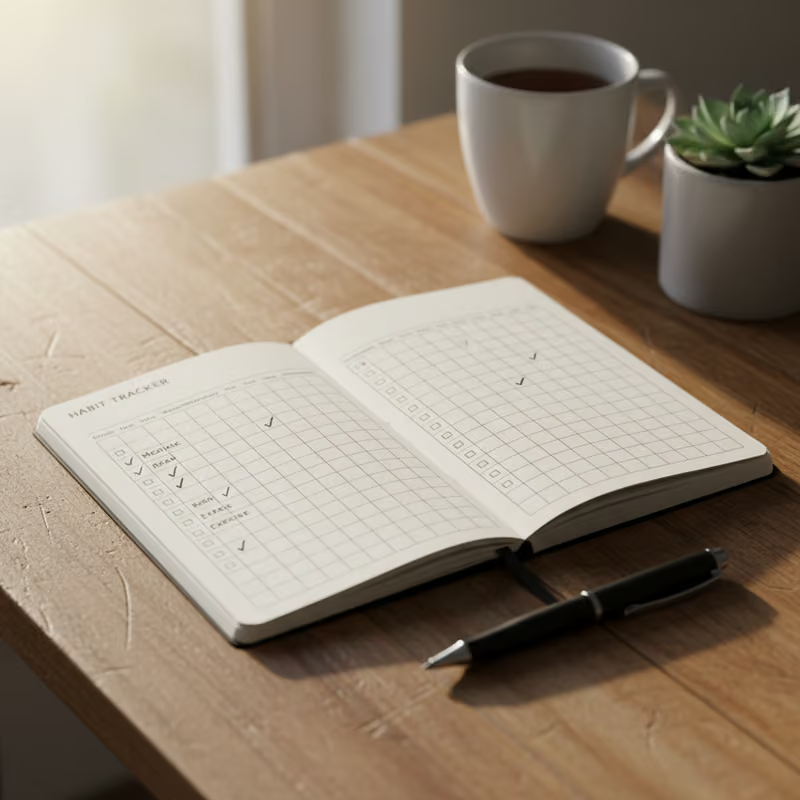
Building an Ergonomic Home Office
Neutral wrist, elbow, and neck angles paired with movement breaks reduce musculoskeletal strain.
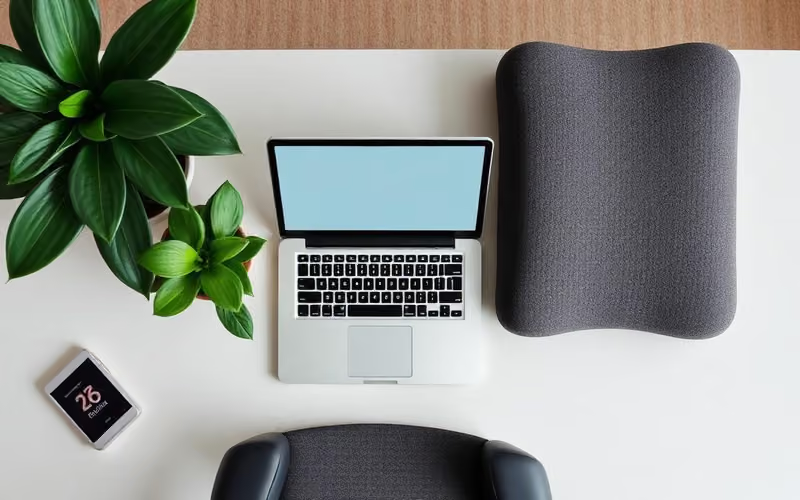
For informational purposes only. This article is educational and is not a substitute for professional medical advice, diagnosis, or treatment. Always consult a qualified healthcare provider about anything affecting your health. Read full disclaimer.
Introduction
What causes it (evidence-based)
Musculoskeletal issues in a home office setting are primarily caused by prolonged static postures, repetitive movements, and awkward body positions. These factors can place undue stress on muscles, tendons, ligaments, nerves, and joints, leading to various conditions.
- Prolonged Static Postures: Sitting or standing in one position for extended periods, even if "neutral," can reduce blood flow, increase muscle fatigue, and lead to stiffness and pain. The human body is designed for movement; prolonged static loading can accelerate wear and tear on tissues.
- Awkward Postures: Deviations from neutral body alignment are significant contributors to MSDs. Examples include:
- Forward Head Posture: Straining the neck to look at a monitor positioned too low or too far away.
- Rounded Shoulders: Slouching over a keyboard or desk.
- Wrist Deviation: Bending the wrists upwards or downwards excessively while typing or using a mouse.
- Unsupported Back: Sitting without adequate lumbar support, leading to slouching and increased pressure on spinal discs.
- Repetitive Motions: Frequent, identical movements, particularly without sufficient recovery periods, can lead to overuse injuries. Typing and mouse usage are common culprits for conditions like carpal tunnel syndrome or tendonitis.
- Improper Equipment Setup: A workstation not adjusted to an individual's body dimensions can force them into awkward postures. This includes monitors that are too high or low, keyboards that are too far away, or chairs lacking proper adjustability.
- Lack of Movement Breaks: Continuous work without short interruptions for stretching or changing posture prevents muscles from recovering and blood circulation from improving, exacerbating the effects of static and awkward postures.
- Inadequate Lighting: Poor lighting can lead to eye strain, which may cause individuals to lean forward or squint, contributing to neck and shoulder tension.
- Psychosocial Factors: Stress, high workload, and lack of control over work tasks can also contribute to muscle tension and exacerbate pain, influencing how individuals perceive and respond to physical discomfort.
Understanding these underlying causes helps in designing effective ergonomic interventions. The goal is to minimize these stressors through thoughtful workspace design and consistent behavioral modifications.
(Source: National Institute for Occupational Safety and Health (NIOSH))
Symptoms and warning signs
Recognizing the symptoms and warning signs of musculoskeletal strain early is crucial for preventing more severe conditions. These signs can manifest in various parts of the body, from mild discomfort to debilitating pain.
- Neck and Shoulder Pain: Often described as stiffness, aching, or dull pain in the neck, upper back, or shoulders, exacerbated by forward head posture or shrugging while typing.
- Back Pain: Ranging from localized lower back pain to general discomfort across the entire back. Poor chair support, slouching, or prolonged sitting contribute to this.
- Wrist and Hand Discomfort: Tingling, numbness, burning sensations, or pain in the wrists, hands, and fingers. These may indicate carpal tunnel syndrome or tendonitis, often linked to repetitive typing, mouse use, or awkward wrist postures.
- Elbow Pain: Aching or soreness around the elbow joint, sometimes radiating down the forearm, associated with repetitive arm motions.
- Eye Strain and Headaches: Blurred vision, dry eyes, sensitivity to light, and headaches can result from prolonged monitor use without breaks, incorrect screen contrast, glare, or poor lighting. Neck tension from poor posture can also contribute to tension headaches.
- Fatigue: General tiredness or localized muscle fatigue that doesn't improve with rest, indicating the body is working harder than it should.
- Numbness or Tingling: Sensations of "pins and needles" in the extremities can indicate nerve compression due to sustained pressure or awkward positioning.
- Stiffness: Difficulty moving joints or a feeling of being "locked up," especially after periods of inactivity, indicates muscle and joint rigidity.
- Decreased Range of Motion: A noticeable reduction in the ability to move a joint through its full normal motion without discomfort.
- Weakness: A perceived or actual loss of strength in affected limbs or muscle groups.
It is important to pay attention to these early warning signs and address them promptly through ergonomic adjustments and behavioral changes. Ignoring these symptoms can lead to chronic pain, reduced function, and more serious health issues.
(Source: Mayo Clinic)
When to see a clinician
While many ergonomic issues can be mitigated by adjusting your workspace and habits, there are specific instances when seeking professional medical advice is warranted. Consulting a clinician can help diagnose underlying conditions, rule out other causes of pain, and provide a personalized treatment plan.
You should consider seeing a clinician if you experience any of the following:
- Persistent Pain: Pain that lasts for several days or weeks, despite making ergonomic adjustments and taking breaks.
- Worsening Symptoms: If your pain, numbness, tingling, or weakness progressively worsens over time, even with attempts at self-management.
- Sudden Onset of Severe Pain: Acute, intense pain that appears suddenly and is debilitating.
- Radiating Pain: Pain that spreads from one area to another, for example, from the neck down the arm, or from the lower back down the leg. This can indicate nerve involvement.
- Numbness or Tingling: Persistent or severe numbness or tingling in the hands, arms, feet, or legs, which could signify nerve compression.
- Muscle Weakness: Noticeable weakness or difficulty grasping objects, lifting, or performing everyday tasks.
- Loss of Function: Inability to perform work tasks or daily activities due to pain, stiffness, or weakness.
- Swelling, Redness, or Warmth: Any signs of inflammation around a joint or muscle, which could indicate a more serious injury or condition.
- Symptoms Interfering with Sleep: If pain or discomfort disrupts your sleep patterns.
- Symptoms Not Responding to Self-Care: If over-the-counter pain relievers, rest, or ergonomic adjustments do not provide relief.
- Previous Medical Conditions: If you have a history of musculoskeletal disorders, nerve conditions, or other chronic health issues that might be exacerbated by your work environment.
(Source: American Academy of Orthopaedic Surgeons)
Treatment and management options
Managing musculoskeletal issues related to an ergonomic home office involves a multi-faceted approach, combining workspace adjustments, lifestyle modifications, and, when necessary, medical interventions. The primary goals are to alleviate symptoms, prevent recurrence, and improve overall physical function.
-
Ergonomic Adjustments:
- Chair: Use an adjustable ergonomic chair providing good lumbar support, allowing feet to be flat on the floor (or on a footrest), adjusting in height, and having adjustable armrests to support the forearms.
- Desk: Ensure desk height allows for neutral shoulder and elbow positions. A standing desk option can be beneficial for varying posture.
- Monitor: Position the monitor at arm's length (about 20-30 inches away), with the top of the screen at or slightly below eye level. Use a monitor stand if needed.
- Keyboard and Mouse: Use an ergonomic keyboard and mouse that fit comfortably and allow wrists to remain neutral. Position them close to your body to avoid overreaching.
- Lighting: Ensure adequate, glare-free lighting to minimize eye strain.
- Accessories: Consider a document holder, headset, or footrest as needed to maintain neutral postures.
-
Behavioral and Lifestyle Modifications:
- Regular Movement Breaks: Incorporate short breaks every 30-60 minutes to stand, stretch, and walk around.
- Mindful Posture: Regularly check and correct your posture throughout the day.
- Stretching: Perform gentle stretches for the neck, shoulders, wrists, and back.
- Physical Activity: Engage in regular exercise to strengthen core muscles, improve flexibility, and promote overall health.
- Hydration and Nutrition: Maintain good hydration and a balanced diet to support tissue health.
- Stress Management: Implement stress-reduction techniques, as stress can exacerbate muscle tension.
-
Physical Therapy and Occupational Therapy:
- Assessment: A therapist can conduct a detailed ergonomic assessment of your workspace and provide personalized recommendations.
- Exercises: They can prescribe specific exercises to strengthen weak muscles, improve flexibility, and correct postural imbalances.
- Manual Therapy: Techniques like massage or mobilization may be used to relieve pain and improve joint function.
- Education: Therapists provide guidance on proper body mechanics and self-management strategies.
-
Medical Interventions (Clinician-directed):
- Medications: Over-the-counter pain relievers (e.g., NSAIDs) can help manage acute pain and inflammation. In some cases, a clinician may prescribe stronger medications, muscle relaxants, or nerve pain medications.
- Injections: Corticosteroid injections may be used to reduce localized inflammation and pain in specific areas (e.g., carpal tunnel, tendonitis).
- Surgery: In rare and severe cases where conservative treatments fail, surgical intervention may be considered for conditions like severe carpal tunnel syndrome or herniated discs.
-
Modalities and Tools:
- Heat/Cold Therapy: Applying heat or cold packs can help alleviate muscle soreness and inflammation.
- Supportive Braces/Splints: For conditions like carpal tunnel syndrome, a wrist brace may be recommended by a clinician to maintain a neutral wrist position.
Effective management often requires a combination of these strategies, tailored to the individual's specific symptoms and needs. Consistent application of ergonomic principles and a proactive approach to self-care are key to long-term well-being.
(Source: American Physical Therapy Association)
Prevention and daily habits
Preventing musculoskeletal strain in a home office largely revolves around consistent daily habits and proactive ergonomic adjustments. By integrating these practices, individuals can significantly reduce their risk of developing work-related injuries and discomfort.
-
Optimal Workspace Setup:
- Maintain Neutral Postures: Consciously work to keep your wrists straight, elbows close to your body at a 90-110 degree angle, shoulders relaxed, back supported, and feet flat on the floor or a footrest.
- Monitor Position: Ensure the top of your monitor is at or slightly below eye level and approximately an arm's length away. Use a monitor riser if necessary.
- Keyboard and Mouse Positioning: Keep your keyboard and mouse close to allow for neutral wrist positioning. Consider ergonomic keyboard and mouse designs if standard ones cause discomfort.
- Chair Adjustment: Regularly adjust your chair height, backrest, and armrests to provide optimal support throughout the day.
-
Regular Movement and Breaks:
- Micro-breaks: Take short, 1-2 minute breaks every 20-30 minutes to stand up, stretch, and move your eyes away from the screen.
- Longer Breaks: Incorporate a 5-10 minute break every hour for walking, light stretching, or movement activities.
- Vary Posture: If possible, alternate between sitting and standing throughout the day, using a standing desk or a height-adjustable platform.
-
Targeted Stretching:
- Neck Stretches: Gently tilt your head side to side, and forward and back.
- Shoulder Rolls: Roll your shoulders forward and backward to release tension.
- Wrist and Hand Stretches: Perform wrist circles, gentle hand flexes and extensions, and finger stretches.
- Back Stretches: Gentle twists and forward folds can help alleviate back stiffness.
-
Eye Care:
- The 20-20-20 Rule: Every 20 minutes, look at something 20 feet away for at least 20 seconds to reduce eye strain.
- Adjust Screen Settings: Optimize screen brightness, contrast, and text size. Consider using blue light filtering settings or glasses.
- Adequate Lighting: Ensure your workspace is well-lit, avoiding glare on your monitor.
-
Healthy Lifestyle Choices:
- Regular Exercise: Engage in physical activity outside of work to strengthen core muscles, improve cardiovascular health, and increase overall flexibility.
- Hydration: Drink plenty of water throughout the day to support bodily functions and joint health.
- Nutrition: Maintain a balanced diet for overall well-being and to support tissue repair.
- Adequate Sleep: Ensure you get sufficient restorative sleep, as it is vital for muscle recovery and pain management.
-
Awareness and Self-Correction:
- Listen to Your Body: Pay attention to early signs of discomfort or fatigue and address them promptly.
- Self-Assessment: Periodically review your posture and workspace setup to identify and correct any emerging problems.
Consistency in these preventive measures is key to building a resilient body and maintaining long-term comfort and health in your home office environment.
(Source: Occupational Safety and Health Administration (OSHA))
Frequently asked questions
Q1: What is the ideal sitting posture for a home office?
Q2: How often should I take breaks from my computer?
Q3: Do I really need an ergonomic chair?
Q4: Can a standing desk prevent back pain?
Q5: What are common mistakes people make when setting up their home office ergonomically?
Key takeaways
- Neutral Postures are Paramount: Maintaining neutral wrist, elbow, and neck angles is fundamental to reducing musculoskeletal strain in a home office. This means wrists straight, elbows bent at 90-110 degrees and close to the body, and the top of the monitor at eye level.
- Movement is Medicine: Prolonged static postures, whether sitting or standing, are detrimental. Incorporate regular micro-breaks (1-2 minutes every 20-30 minutes) and longer movement breaks (5-10 minutes every hour) to stand, stretch, and walk.
- Invest in Adjustability: An ergonomic chair that offers comprehensive adjustability (height, lumbar support, armrests) and a desk setup that allows for proper monitor and accessory positioning are critical for customizing the workspace to your body.
- Listen to Your Body's Signals: Pay attention to early warning signs such as stiffness, minor aches, tingling, or fatigue. Addressing these promptly through adjustments or professional consultation can prevent more serious conditions.
- Holistic Approach: Beyond physical setup, consider factors like proper lighting, eye care (20-20-20 rule), hydration, nutrition, and stress management, as these all contribute to overall well-being in a home office environment.
- Seek Professional Guidance When Needed: If symptoms persist, worsen, or interfere with daily activities despite ergonomic adjustments, consult a clinician for diagnosis and tailored treatment.
Related reading
Keep exploring this topic with our related, evidence-reviewed guides:
- Posture Exercises for Office Workers — Discover simple yet effective posture exercises tailored for office workers to combat the negative effects of prolonged sitting an…
- Building a Wellness Support System — Discover how to build a robust wellness support system that encompasses social connections, professional guidance, and self-care p…
- Building a Sustainable Morning Routine — Discover how to build a sustainable morning routine that fosters well-being and productivity. This article provides evidence-based…
- Indoor Air Quality and Wellness — Discover how the air inside your home impacts your health and well-being. Learn practical steps to improve indoor air quality for …
- How to Create a Healthy Home: Evidence-Based Guide — Transform your living space into a sanctuary of well-being with these practical, evidence-based tips for a healthy home environmen…
- Building Resilience Through Habits — Discover how cultivating simple, consistent habits can significantly enhance your mental and physical resilience, helping you navi…
Sources
- Centers for Disease Control and Prevention (CDC) - National Institute for Occupational Safety and Health (NIOSH)
- Mayo Clinic
- American Academy of Orthopaedic Surgeons (AAOS)
- American Physical Therapy Association (APTA)
- Occupational Safety and Health Administration (OSHA)
Not Medical Advice: This article is for informational purposes only and does not constitute medical advice. Always consult with a qualified healthcare professional for any health concerns or before making any decisions related to your health or treatment.
Evidence & citations
- Every claim in this health & wellness guide is backed by primary data — browse the global health and wellness statistics in our sourced statistics library.
- Writing about this topic? Researchers, journalists and educators can cite our health and wellness articles with ready-made APA, MLA and Chicago references.
My notes on this one
The short version of 7 minutes of reading — what stuck with me while writing “Building an Ergonomic Home Office”, what the sources back up, and what I'd actually do about it.
What I'd take away
01 · What causes it
Repetitive Motions: Frequent, identical movements, particularly without sufficient recovery periods, can lead to overuse injuries…
02 · Symptoms and warning signs
Wrist and Hand Discomfort: Tingling, numbness, burning sensations, or pain in the wrists, hands, and fingers. These may indicate carpal tunnel syndrome or tendonitis, often linked to repetitive typing…
03 · Treatment and management options
Regular Movement Breaks: Incorporate short breaks every 30-60 minutes to stand, stretch, and walk around.
04 · Prevention and daily habits
Micro-breaks: Take short, 1-2 minute breaks every 20-30 minutes to stand up, stretch, and move your eyes away from the screen.
What the sources I read actually say
While many ergonomic issues can be mitigated by adjusting your workspace and habits, there are specific instances when seeking professional medical advice is warranted.
Mayo Clinic
If you only do one thing this week
- Regular Movement Breaks — Incorporate short breaks every 30-60 minutes to stand, stretch, and walk around.
- Micro-breaks — Take short, 1-2 minute breaks every 20-30 minutes to stand up, stretch, and move your eyes away from the screen.
- Longer Breaks — Incorporate a 5-10 minute break every hour for walking, light stretching, or movement activities.
- The 20-20-20 Rule — Every 20 minutes, look at something 20 feet away for at least 20 seconds to reduce eye strain.
Pick the one that fits your week. None of this replaces advice from a clinician who can actually examine you.
Questions I kept coming back to
What should I know about prolonged Static Postures?+
Sitting or standing in one position for extended periods, even if "neutral," can reduce blood flow, increase muscle fatigue, and lead to stiffness and pain. The human body is designed for movement; prolonged static loading can accelerate wear and tear on tissues.
Does awkward Postures make a measurable difference?+
Deviations from neutral body alignment are significant contributors to MSDs. Examples include:
Where does forward Head Posture fit in?+
Straining the neck to look at a monitor positioned too low or too far away.
What role does wrist Deviation actually play?+
Bending the wrists upwards or downwards excessively while typing or using a mouse.
How much does unsupported Back really matter?+
Sitting without adequate lumbar support, leading to slouching and increased pressure on spinal discs.
Was this article helpful?
Be the first to rate this article.
Written by
FaizRuh
I write Health Hub Pro on my own — no clinical licence, no anonymous review panel. Just the published guidance, read carefully and explained plainly.
More about me →How this page was checked
Every claim above is checked against the sources listed at the bottom of this article — WHO, CDC, NIH, NHS, Cochrane and major clinical guidelines. Drafting is AI-assisted; the editing, fact-checking and final wording are mine. It's information, not medical advice. Spotted an error? Tell me and I'll fix it.
Last checked on